![[APK] App Cloner Premium Unlocked](/data/resource_icons/4/4188.jpg?1770234930)

App Cloner
By AppListo
Premium build date: 2016 Nov. 22
Premium build date: 2016 Nov. 22
Welcome to the official home page of App Cloner
appcloner.com | appcloner.app
Clone your apps. Customize everything. Protect your privacy. Take control.
App Cloner lets you create & install multiple copies of Android apps and safeguards your privacy and identity.
App Cloner is the only multi-account app that creates true, installable clones.
Visit the App Cloner Blog at https://appcloner.blog to learn more about App Cloner and its many features.
You can reach App Cloner Support via email at [email protected] or on Telegram at https://t.me/appcloner.
Screenshots

appcloner.com | appcloner.app
Clone your apps. Customize everything. Protect your privacy. Take control.
App Cloner lets you create & install multiple copies of Android apps and safeguards your privacy and identity.
App Cloner is the only multi-account app that creates true, installable clones.
Visit the App Cloner Blog at https://appcloner.blog to learn more about App Cloner and its many features.
You can reach App Cloner Support via email at [email protected] or on Telegram at https://t.me/appcloner.
Screenshots
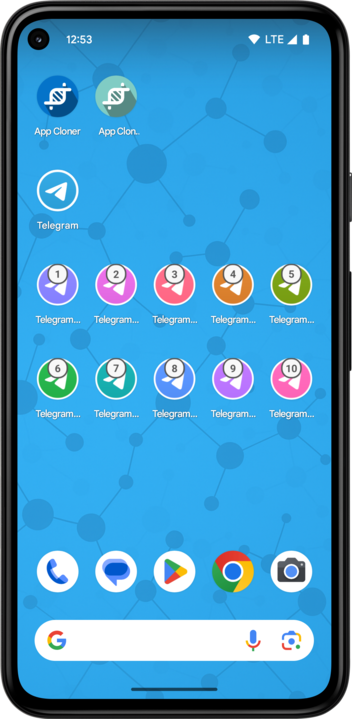
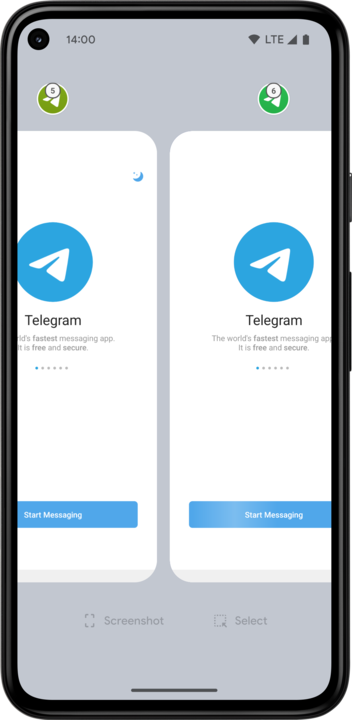
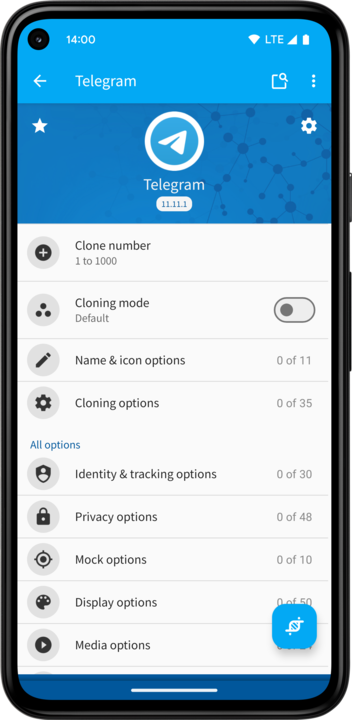
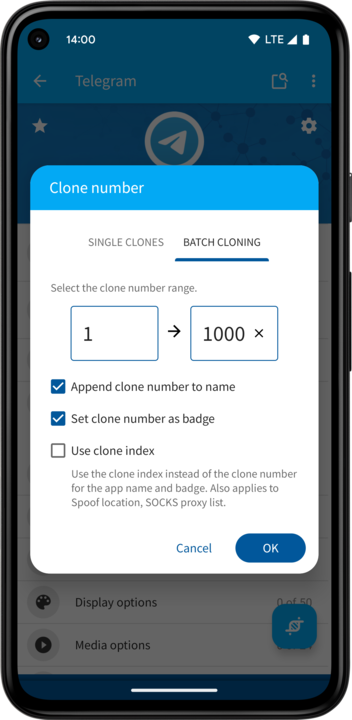
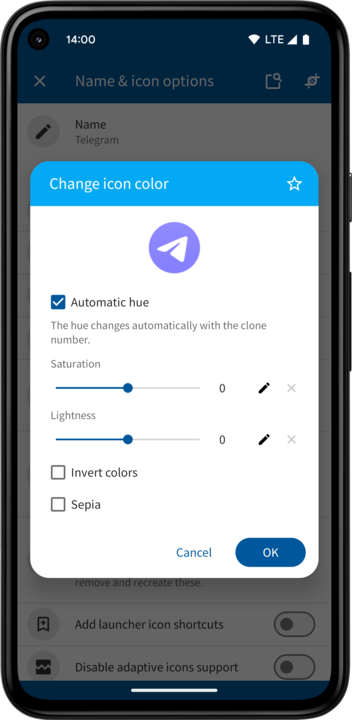
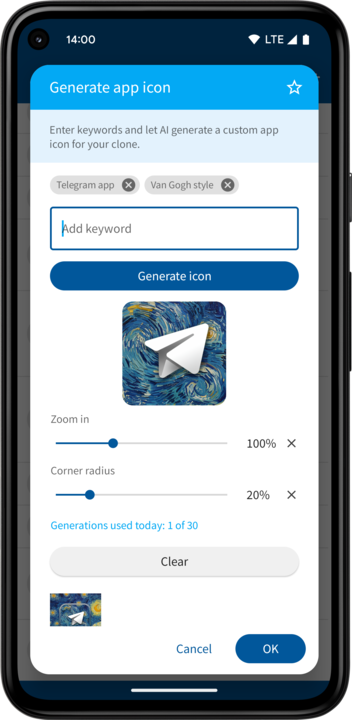
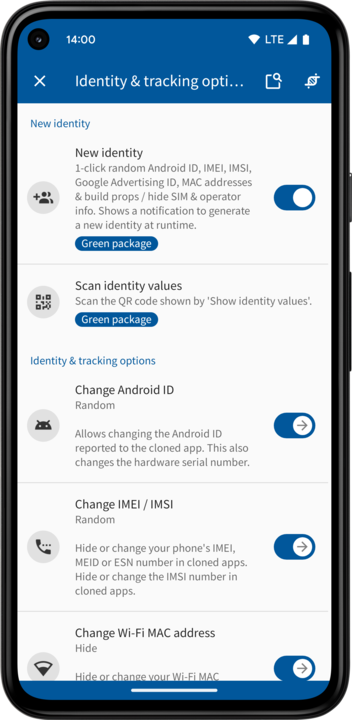
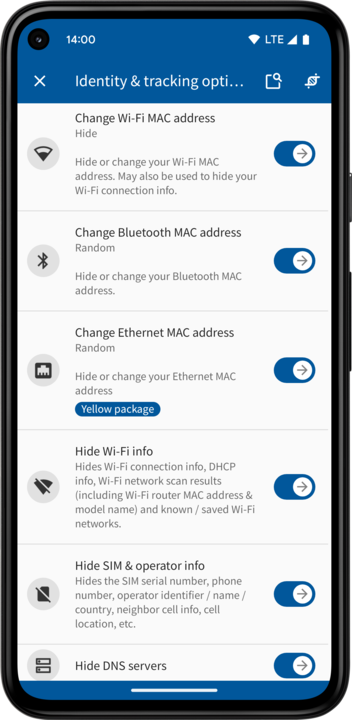
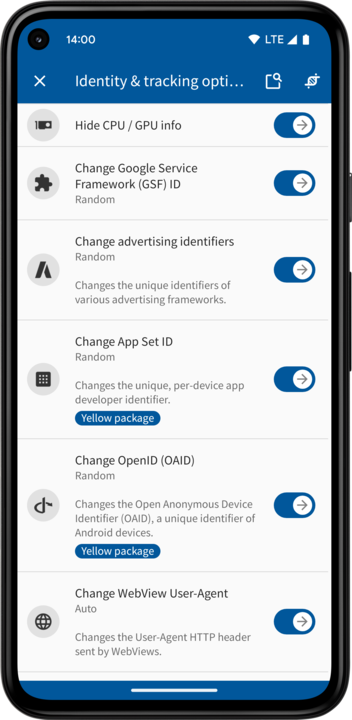
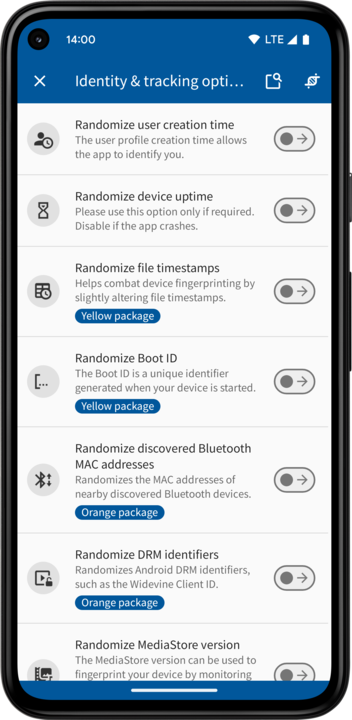
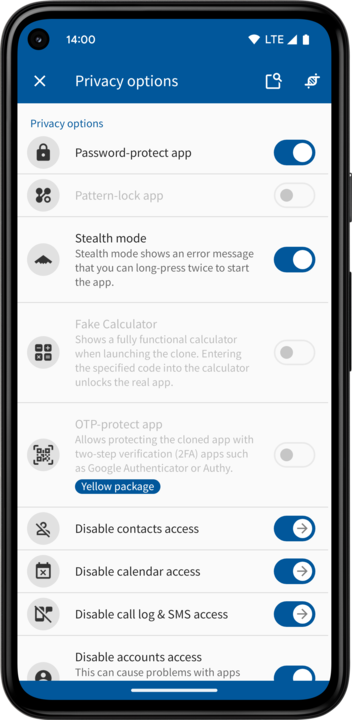
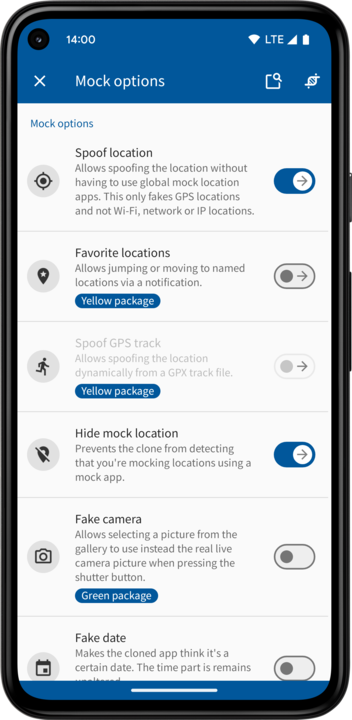
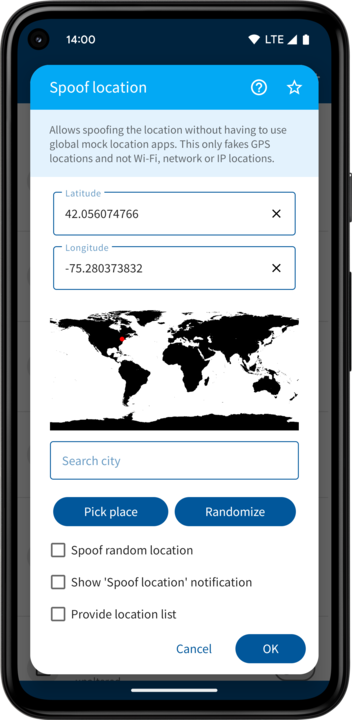
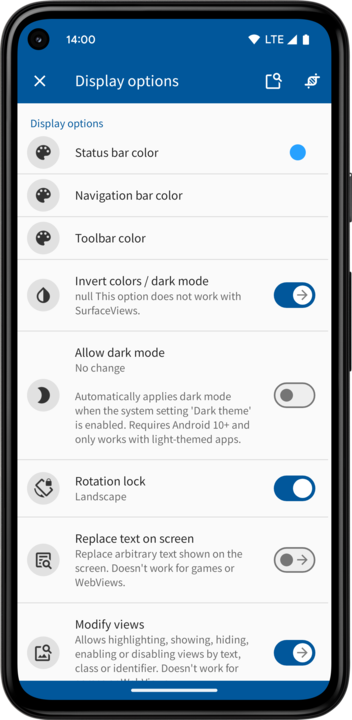
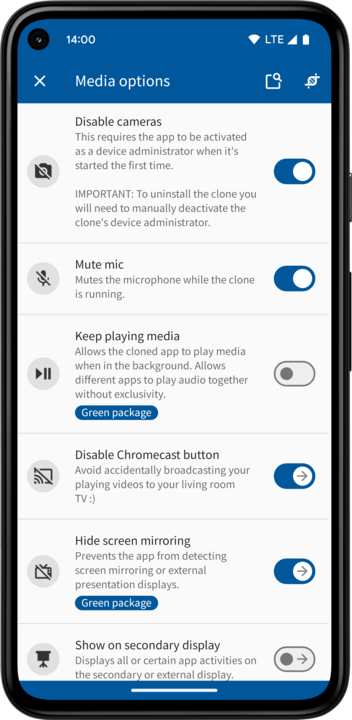
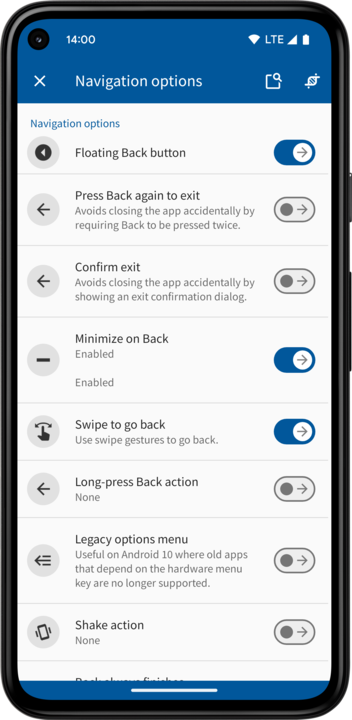
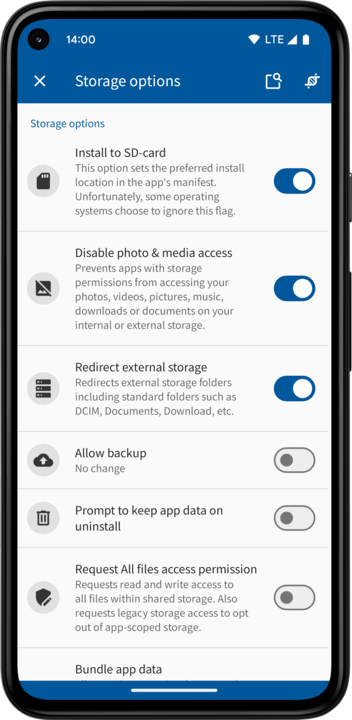
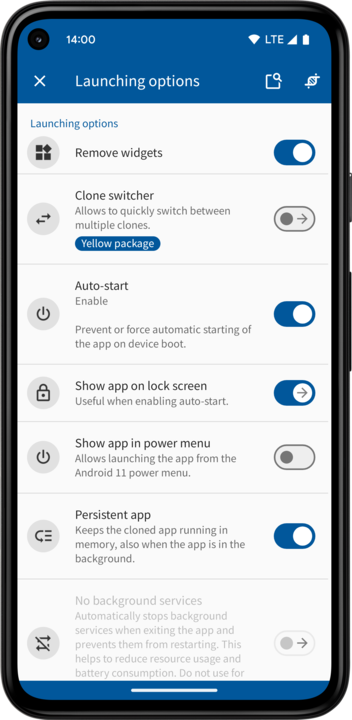
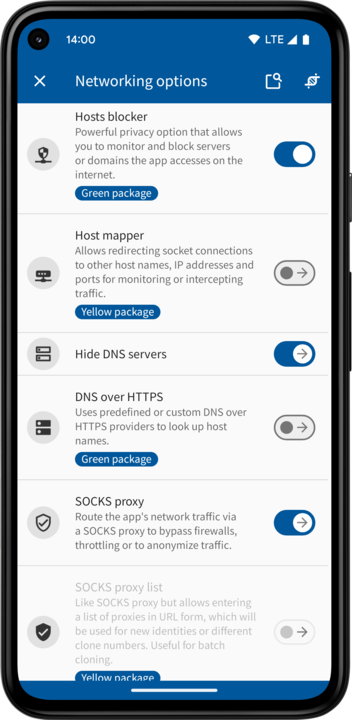
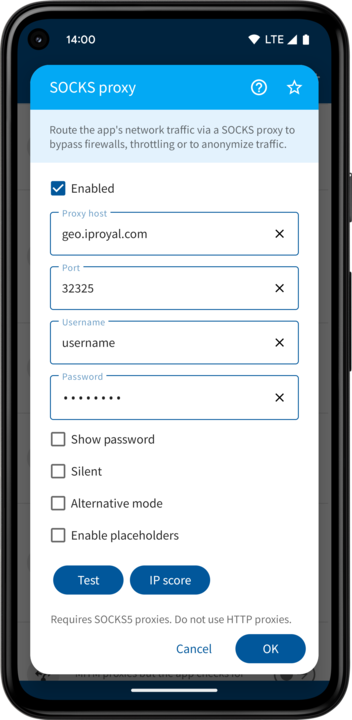
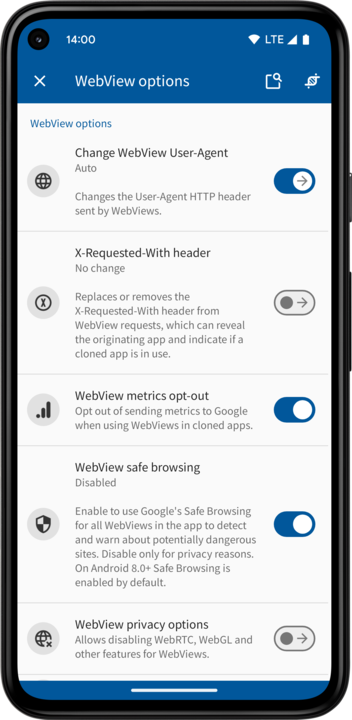
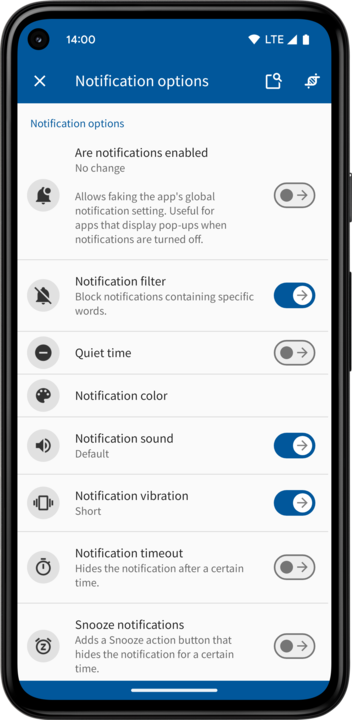
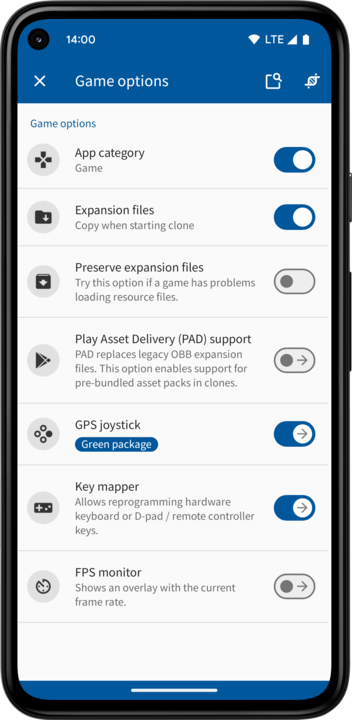
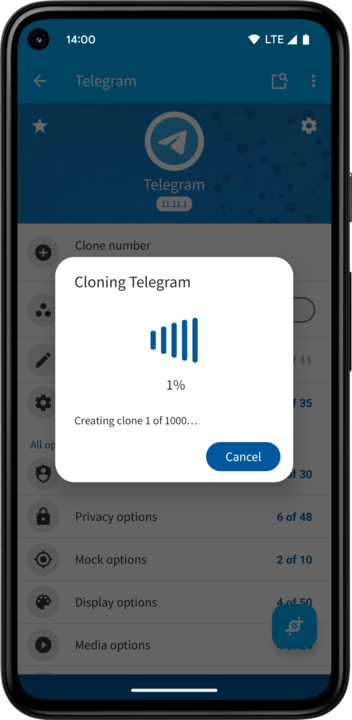
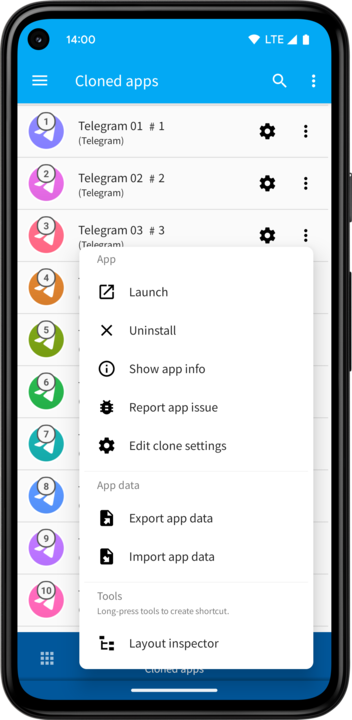
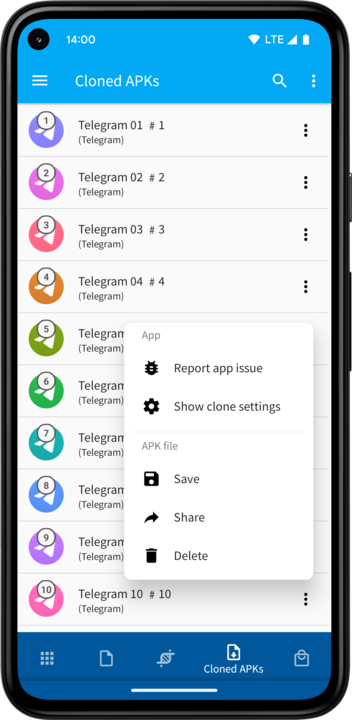
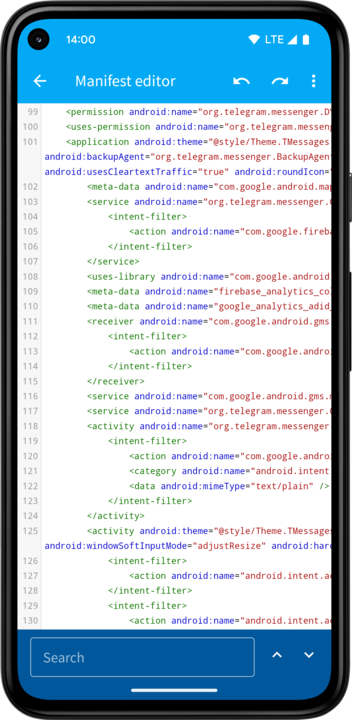
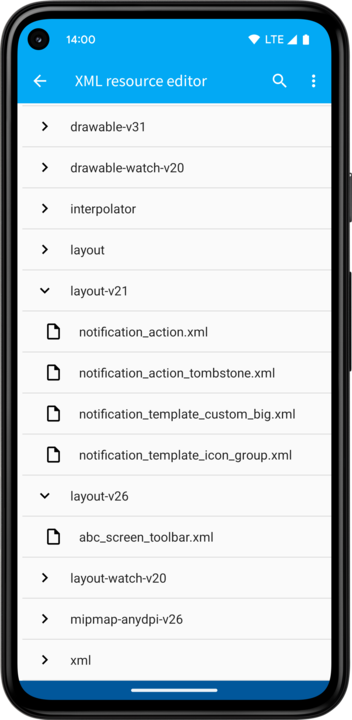
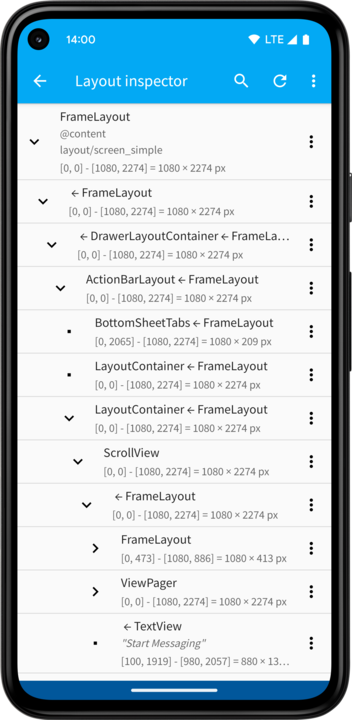
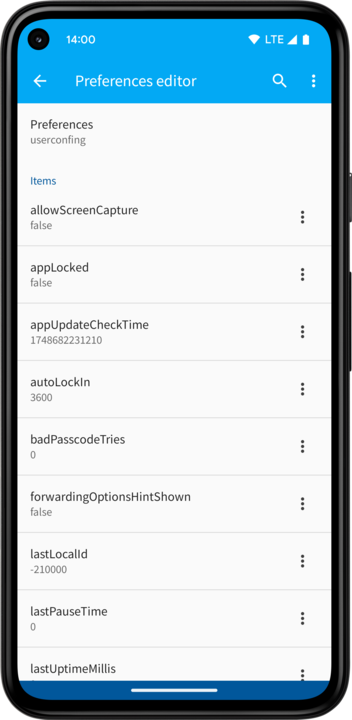
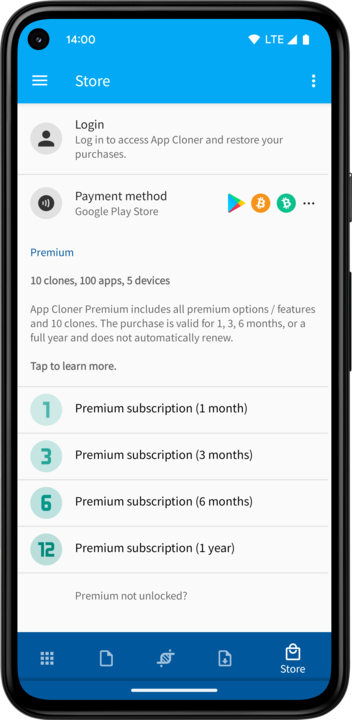
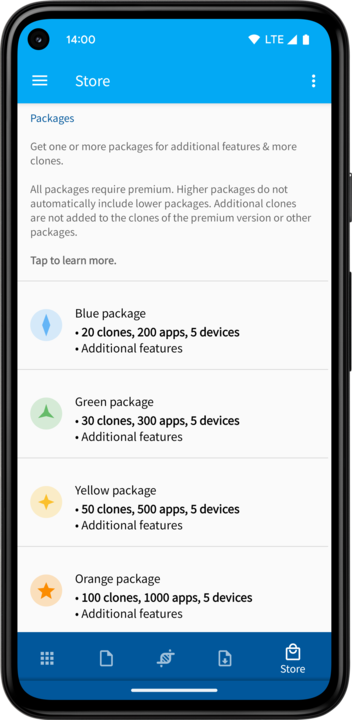
App Cloner gives you real clones. Run two, three or hundreds of accounts side-by-side without juggling logins. With App Cloner you can duplicate apps like Instagram, Telegram, Facebook or X and keep each profile signed in, isolated and notification-ready. It's the easiest way to separate work, family, projects and experiments on a single device.
Privacy is where App Cloner shines. Each clone can present a different identity profile and strictly control what the cloned app can learn about you. Hide or randomize multiple device identifiers, hide your Wi-Fi and network operator details, spoof location and time zone, adjust language and region and protect your IP footprint with proxies, WebRTC leak guards and network constraints. Lock a clone with a password, disguise it behind a decoy icon or a fake calculator, enable incognito mode to auto-wipe data on exit and keep notifications secret.
You stay in charge of tracking. Strip or redefine dangerous permissions, block background auto-starts and wake locks and disable in-app tracking and analytics components. Isolate storage so data isn’t shared with the original app, disable clipboard access and prevent screenshots when you need confidentiality. Build different privacy presets for different use cases and apply them in one tap.
Customization goes far beyond privacy. App Cloner offers hundreds of modding options so you can tailor behavior and UI. Rename the app, recolor or badge the icon, force dark mode, lock orientation, enable immersive full-screen or allow screenshots and screen recording. Override link handling, change the default browser and tweak WebView settings.
Power users get industrial-grade controls. Batch-clone at speed with automatic names and placeholders, then hand clones off to automated app installation services. The fake camera can stand in for real hardware, supplying custom photos, fixing EXIF and orientation, optionally randomizing images for repeatability. Deep instrumentation is built in: live monitors for activities, files, URLs and HTTP headers plus a WebView toolkit to view source, inject custom scripts and override navigation. Inspect and tweak layouts on the fly, search the view hierarchy, replace text, hide or restyle widgets and persist rules that run while you scroll. And when you need hands-free flows, automation clicks the right buttons, fills fields, sequences steps and auto-scrolls with optional API access, Tasker integration and start / exit shell hooks to tie everything together. The possibilities with App Cloner are endless.
Every clone is a fully independent Android app. Cloned apps don't auto-update, so your stable setup stays exactly as you configured it while the Play Store version can move at its own pace. That means you can run multiple versions of the same app side-by-side, compare changes safely and only update a clone when you're ready.
Premium version
The free version of App Cloner allows creating a single clone. The premium version of App Cloner allows creating up to 10 clones and the use of all the premium modding options. Note that you can update / reclone apps as often as you want.
If you need more clones you can get one or more packages. Packages also unlock additional apps, features & options. Please see App Cloner packages summary.
For more information about App Cloner, please see App Cloner Overview.
Premium subscription features & options:
• Use hundreds of premium cloning options & features
• Create multiple app clones & use batch cloning
• Remove App Cloner branding & use custom icons
• Save / backup cloned apps & clone settings
• Clone premium apps
Identity & tracking options:
• Change or hide Android ID, IMEI / IMSI, Wi-Fi & Bluetooth MAC
• Change Google Service Framework (GSF) ID, Google / Amazon Advertising ID & Facebook Attribution ID
• Change WebView User-Agent
• Hide Wi-Fi info, GPU info, hide SIM & operator info
• Customize build props to prevent device fingerprinting
Privacy options:
• Password-protect apps, including Stealth mode
• Fake calculator app
• Disable access to accounts, contacts, calendar, call log & clipboard
• Exclude app from recents
• Incognito mode for apps, incognito keyboard
• Remove permissions & disable permission prompts
• Spoof GPS location
• Hide mock location
• Fake time zone
• Disable sensors access, fake environment sensors
• Disable accessibility access
• Prevent screenshots
• In-app floating keyboard
• Disable auto-fill & clipboard access
• Exit app on screen off, 'sneeze' to exit
• Hide root & presence of other apps
• Disable Logcat logging
• Disable share actions
• Disable device admins & accessbility services
• Change Knox Warranty Bit
Display options:
• Change status, navigation and toolbar colors
• Invert colors / dark mode
• Allow dark mode (Android 10)
• Change the rotation lock
• Modify views & replace text on screen
• Change the app display size, language & default font
• Keep screen on, immersive mode
• Floating apps & free-form windows
• Multi-window & picture-in-picture support
• Flip screen / HUD mode
• Hide notch & use larger aspect ratios
• In-app live chat
• WebView text zoom
• Zoomable image views
• Blur image views
• Allow text selection & share image views
• Long-press to copy text or enable views
• Reveal password fields
• Skip dialogs
• Add splash screen & welcome message
• Always allow copy & paste
• Screen saver
• RTL (right-to-left) support
• Color filter
• Change or disable activity transitions
Media options:
• Mute or set volume on start
• Mute while app in foreground or for text on screen
• Prevent app from changing volume
• Start sound
• Disable cameras & mic
• Disable audio focus (allow playing audio / video alongside other apps)
• Disable Chromecast button
• Show on secondary display
• Volume rocker locker & indicator
• Disable haptic feedback
• Audio playback capture
• Preferred camera app for Android 11
Navigation options:
• Floating Back button
• Confirm app exit
• Minimize on Back
• Shake to exit app
• Swipe to go back
• Long-press Back & fingerprint sensor actions
• Long-press Back for options menu
• Fingerprint sensor & volume key actions
• Kiosk mode
• Reprogram volume keys
• Popup blocker
• Activity monitor & Block activities
Storage options:
• Install app to SD-card
• Disable photo & media access
• Redirect external storage
• Prevent app backup
• Prompt to keep app data on uninstall
• Bundle SD-card directories or exported app data
• Bundle original app
• Clear cache on app exit
• Securely delete files & directories on app exit
Launching options:
• Remove widgets & launcher icon
• Add internal activities as launcher icons
• Disable auto-start
• Make app persistent
• Disable background services
• Disable app defaults
• Start app via secret dialer code or outgoing call
• Quick settings tile
• Disable wake locks, modify job scheduling
• Fake battery level
• Request to ignore battery optimizations
• Make home, camera or assist app
• Start other app
• Start / exit app for S-pen, headphone or power events
• Disable screen on / off events
• Start app when external storage is mounted
• Launch app with NFC tag
Networking options:
• Disable all networking
• Disable / enable networking manually via notification
• Disable mobile data, background networking or networking when screen is off
• Disable networking when not connected to VPN
• Mock Wi-Fi / mobile / Ethernet connection
• SOCKS proxy
• Show IP info
• Disable clear-text networking
Notification options:
• Notification filter & notification quiet time
• Silence notifications & change vibration
• Change notification color & lights
• Snooze notifications & notification timeout
• Change notification visibility & priority
• Remove & replace notification icons & actions
• Single notification group
• Change notification text & categories
• Add notification dots to app icons
• Filter toasts & change toast position, duration & opacity
• Show toasts as notifications
• Invert toasts
Game options:
• Copy or bundle OBB expansion files
• Key mapper
• FPS monitor
Android TV & Wear OS options:
• Android TV launcher support
• Change Android TV banner image
• Joystick pointer for incompatible apps
• Picture-in-picture support
• Use TV version on mobile devices
• Remove & make watch apps
Automation options:
• Set brightness on start
• Do not Disturb, Wi-Fi, Bluetooth & auto-rotate controls
• Set clipboard data on start
• Execute Tasker tasks
• Auto-press buttons
• Auto-scroller
• Flashlight while app is open
Developer options:
• Change app version name & code
• Hide developer mode
• Logcat viewer
• Change Target SDK version, Android version & build props
• Custom permissions
Incompatibilities
Not all apps can be cloned! Cloned apps may crash, show errors or work incorrectly.
Features that depend on the app certificate like Google logins, Google Play Services, Google Play Games, Google Drive backup or in-app purchases WILL NOT WORK!
Cloning an app will change its certificate, which means the clone may not work in case the app validates the certificate, uses advanced copy-protection or reCAPTCHA.
Some apps that CANNOT be cloned:
• AliExpress
• Dana
• eBay (still works before Android 8.0)
• Evernote
• GCash
• Grab
• Kodi
• Lazada
• OneDrive
• OVO
• paytm (some users have reported issues)
• Pokemon GO
• Skype for Business
• Snapchat
• StarMaker
• Tokopedia (login not possible)
• Trello
• Viber
• WeChat
• WhatsApp, GBWhatsApp, YoWhatsApp, etc.
• Yandex Go
• YouTube (use YouTube ReVanced)
• Most Google apps (however, Chrome & Gmail work fine with some limitations)
• Most Microsoft apps (however, Skype & LinkedIn work fine)
Use Report app issue to report a problem with a cloned app.
To install clones you need to grant App Cloner the Install unknown apps permission.
You can enable the App Cloner Install Service to fully automate app installations (see App Cloner Settings).
Google Play Protect or anti-virus apps may show warnings for cloned apps. These warnings are false positives and can be ignored. They are caused by the unofficial certificate used to sign cloned APKs and because the generated clones target older Android versions.
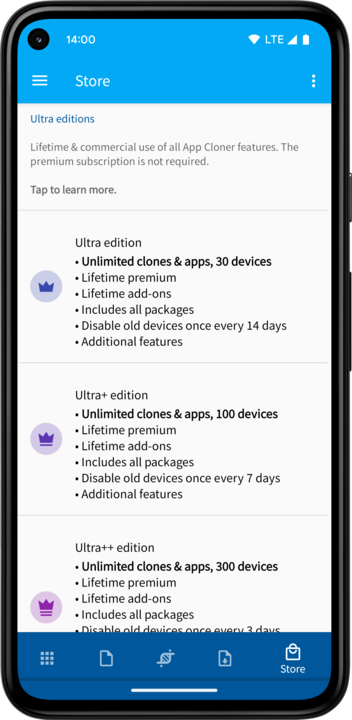
All packages require the premium version. Higher packages do not automatically include lower packages, premium, or add-ons, except for the Ultra editions, which include lifetime premium, all add-ons (lifetime) and all packages. You can use App Cloner on up to 5 devices (30 with Ultra, 50 with Ultra+ and 100 devices with Ultra++) and from up to 5 different IP locations (or 10 different locations with Ultra, Ultra+ or the Additional login locations add-on). If you no longer use a device you can disable it yourself via Devices on the Store tab. You can remove old or unused devices every 14 days, or more frequently with advanced tiers (every 7 days for Ultra, 3 days for Ultra+ and every day for Ultra++).
App Cloner and generated clones may not be compatible with all Android emulators, x86 Android devices, rooted Android devices, devices running GameGuardian, LSPosed, LSPatch, EdXposed and / or devices with custom ROMs.
All product and brand names mentioned above are property of their respective owners.
App Cloner and the App Cloner logo are registered trademarks.
Privacy is where App Cloner shines. Each clone can present a different identity profile and strictly control what the cloned app can learn about you. Hide or randomize multiple device identifiers, hide your Wi-Fi and network operator details, spoof location and time zone, adjust language and region and protect your IP footprint with proxies, WebRTC leak guards and network constraints. Lock a clone with a password, disguise it behind a decoy icon or a fake calculator, enable incognito mode to auto-wipe data on exit and keep notifications secret.
You stay in charge of tracking. Strip or redefine dangerous permissions, block background auto-starts and wake locks and disable in-app tracking and analytics components. Isolate storage so data isn’t shared with the original app, disable clipboard access and prevent screenshots when you need confidentiality. Build different privacy presets for different use cases and apply them in one tap.
Customization goes far beyond privacy. App Cloner offers hundreds of modding options so you can tailor behavior and UI. Rename the app, recolor or badge the icon, force dark mode, lock orientation, enable immersive full-screen or allow screenshots and screen recording. Override link handling, change the default browser and tweak WebView settings.
Power users get industrial-grade controls. Batch-clone at speed with automatic names and placeholders, then hand clones off to automated app installation services. The fake camera can stand in for real hardware, supplying custom photos, fixing EXIF and orientation, optionally randomizing images for repeatability. Deep instrumentation is built in: live monitors for activities, files, URLs and HTTP headers plus a WebView toolkit to view source, inject custom scripts and override navigation. Inspect and tweak layouts on the fly, search the view hierarchy, replace text, hide or restyle widgets and persist rules that run while you scroll. And when you need hands-free flows, automation clicks the right buttons, fills fields, sequences steps and auto-scrolls with optional API access, Tasker integration and start / exit shell hooks to tie everything together. The possibilities with App Cloner are endless.
Every clone is a fully independent Android app. Cloned apps don't auto-update, so your stable setup stays exactly as you configured it while the Play Store version can move at its own pace. That means you can run multiple versions of the same app side-by-side, compare changes safely and only update a clone when you're ready.
Premium version
The free version of App Cloner allows creating a single clone. The premium version of App Cloner allows creating up to 10 clones and the use of all the premium modding options. Note that you can update / reclone apps as often as you want.
If you need more clones you can get one or more packages. Packages also unlock additional apps, features & options. Please see App Cloner packages summary.
For more information about App Cloner, please see App Cloner Overview.
Premium subscription features & options:
• Use hundreds of premium cloning options & features
• Create multiple app clones & use batch cloning
• Remove App Cloner branding & use custom icons
• Save / backup cloned apps & clone settings
• Clone premium apps
Identity & tracking options:
• Change or hide Android ID, IMEI / IMSI, Wi-Fi & Bluetooth MAC
• Change Google Service Framework (GSF) ID, Google / Amazon Advertising ID & Facebook Attribution ID
• Change WebView User-Agent
• Hide Wi-Fi info, GPU info, hide SIM & operator info
• Customize build props to prevent device fingerprinting
Privacy options:
• Password-protect apps, including Stealth mode
• Fake calculator app
• Disable access to accounts, contacts, calendar, call log & clipboard
• Exclude app from recents
• Incognito mode for apps, incognito keyboard
• Remove permissions & disable permission prompts
• Spoof GPS location
• Hide mock location
• Fake time zone
• Disable sensors access, fake environment sensors
• Disable accessibility access
• Prevent screenshots
• In-app floating keyboard
• Disable auto-fill & clipboard access
• Exit app on screen off, 'sneeze' to exit
• Hide root & presence of other apps
• Disable Logcat logging
• Disable share actions
• Disable device admins & accessbility services
• Change Knox Warranty Bit
Display options:
• Change status, navigation and toolbar colors
• Invert colors / dark mode
• Allow dark mode (Android 10)
• Change the rotation lock
• Modify views & replace text on screen
• Change the app display size, language & default font
• Keep screen on, immersive mode
• Floating apps & free-form windows
• Multi-window & picture-in-picture support
• Flip screen / HUD mode
• Hide notch & use larger aspect ratios
• In-app live chat
• WebView text zoom
• Zoomable image views
• Blur image views
• Allow text selection & share image views
• Long-press to copy text or enable views
• Reveal password fields
• Skip dialogs
• Add splash screen & welcome message
• Always allow copy & paste
• Screen saver
• RTL (right-to-left) support
• Color filter
• Change or disable activity transitions
Media options:
• Mute or set volume on start
• Mute while app in foreground or for text on screen
• Prevent app from changing volume
• Start sound
• Disable cameras & mic
• Disable audio focus (allow playing audio / video alongside other apps)
• Disable Chromecast button
• Show on secondary display
• Volume rocker locker & indicator
• Disable haptic feedback
• Audio playback capture
• Preferred camera app for Android 11
Navigation options:
• Floating Back button
• Confirm app exit
• Minimize on Back
• Shake to exit app
• Swipe to go back
• Long-press Back & fingerprint sensor actions
• Long-press Back for options menu
• Fingerprint sensor & volume key actions
• Kiosk mode
• Reprogram volume keys
• Popup blocker
• Activity monitor & Block activities
Storage options:
• Install app to SD-card
• Disable photo & media access
• Redirect external storage
• Prevent app backup
• Prompt to keep app data on uninstall
• Bundle SD-card directories or exported app data
• Bundle original app
• Clear cache on app exit
• Securely delete files & directories on app exit
Launching options:
• Remove widgets & launcher icon
• Add internal activities as launcher icons
• Disable auto-start
• Make app persistent
• Disable background services
• Disable app defaults
• Start app via secret dialer code or outgoing call
• Quick settings tile
• Disable wake locks, modify job scheduling
• Fake battery level
• Request to ignore battery optimizations
• Make home, camera or assist app
• Start other app
• Start / exit app for S-pen, headphone or power events
• Disable screen on / off events
• Start app when external storage is mounted
• Launch app with NFC tag
Networking options:
• Disable all networking
• Disable / enable networking manually via notification
• Disable mobile data, background networking or networking when screen is off
• Disable networking when not connected to VPN
• Mock Wi-Fi / mobile / Ethernet connection
• SOCKS proxy
• Show IP info
• Disable clear-text networking
Notification options:
• Notification filter & notification quiet time
• Silence notifications & change vibration
• Change notification color & lights
• Snooze notifications & notification timeout
• Change notification visibility & priority
• Remove & replace notification icons & actions
• Single notification group
• Change notification text & categories
• Add notification dots to app icons
• Filter toasts & change toast position, duration & opacity
• Show toasts as notifications
• Invert toasts
Game options:
• Copy or bundle OBB expansion files
• Key mapper
• FPS monitor
Android TV & Wear OS options:
• Android TV launcher support
• Change Android TV banner image
• Joystick pointer for incompatible apps
• Picture-in-picture support
• Use TV version on mobile devices
• Remove & make watch apps
Automation options:
• Set brightness on start
• Do not Disturb, Wi-Fi, Bluetooth & auto-rotate controls
• Set clipboard data on start
• Execute Tasker tasks
• Auto-press buttons
• Auto-scroller
• Flashlight while app is open
Developer options:
• Change app version name & code
• Hide developer mode
• Logcat viewer
• Change Target SDK version, Android version & build props
• Custom permissions
Incompatibilities
Not all apps can be cloned! Cloned apps may crash, show errors or work incorrectly.
Features that depend on the app certificate like Google logins, Google Play Services, Google Play Games, Google Drive backup or in-app purchases WILL NOT WORK!
Cloning an app will change its certificate, which means the clone may not work in case the app validates the certificate, uses advanced copy-protection or reCAPTCHA.
Some apps that CANNOT be cloned:
• AliExpress
• Dana
• eBay (still works before Android 8.0)
• Evernote
• GCash
• Grab
• Kodi
• Lazada
• OneDrive
• OVO
• paytm (some users have reported issues)
• Pokemon GO
• Skype for Business
• Snapchat
• StarMaker
• Tokopedia (login not possible)
• Trello
• Viber
• WhatsApp, GBWhatsApp, YoWhatsApp, etc.
• Yandex Go
• YouTube (use YouTube ReVanced)
• Most Google apps (however, Chrome & Gmail work fine with some limitations)
• Most Microsoft apps (however, Skype & LinkedIn work fine)
Use Report app issue to report a problem with a cloned app.
To install clones you need to grant App Cloner the Install unknown apps permission.
You can enable the App Cloner Install Service to fully automate app installations (see App Cloner Settings).
Google Play Protect or anti-virus apps may show warnings for cloned apps. These warnings are false positives and can be ignored. They are caused by the unofficial certificate used to sign cloned APKs and because the generated clones target older Android versions.
All packages require the premium version. Higher packages do not automatically include lower packages, premium, or add-ons, except for the Ultra editions, which include lifetime premium, all add-ons (lifetime) and all packages. You can use App Cloner on up to 5 devices (30 with Ultra, 50 with Ultra+ and 100 devices with Ultra++) and from up to 5 different IP locations (or 10 different locations with Ultra, Ultra+ or the Additional login locations add-on). If you no longer use a device you can disable it yourself via Devices on the Store tab. You can remove old or unused devices every 14 days, or more frequently with advanced tiers (every 7 days for Ultra, 3 days for Ultra+ and every day for Ultra++).
App Cloner and generated clones may not be compatible with all Android emulators, x86 Android devices, rooted Android devices, devices running GameGuardian, LSPosed, LSPatch, EdXposed and / or devices with custom ROMs.
All product and brand names mentioned above are property of their respective owners.
App Cloner and the App Cloner logo are registered trademarks.






